
Shield Your Silicon: Essential Laptop Accessories for Lasting Performance
Your laptop is more than just a device; it’s a gateway to productivity, creativity, and connection. Investing in its longevity and optimal functioning is paramount. Neglecting its protection and enhancement can lead to costly repairs, frustrating slowdowns, and even premature obsolescence. This comprehensive guide delves into the essential laptop accessories that safeguard your investment, elevate your user experience, and ensure your digital companion remains a reliable powerhouse for years to come.
The Foundation of Protection: Safeguarding Against the Elements
The most immediate threat to your laptop’s well-being comes from physical damage and environmental hazards. Investing in robust protection is the first line of defense.
1. The Unsung Hero: The Laptop Sleeve or Bag: This is non-negotiable. A high-quality sleeve or padded bag is your laptop’s first shield against bumps, scratches, and minor impacts during transit. Look for materials like neoprene, EVA foam, or ballistic nylon that offer excellent shock absorption. Consider the fit – a snug fit prevents internal movement, while a slightly looser fit allows for easy insertion and removal. For frequent travelers or students, a backpack with a dedicated, padded laptop compartment is ideal, offering superior weight distribution and additional pockets for accessories. Brands like Thule, Incase, and Herschel offer durable and stylish options.
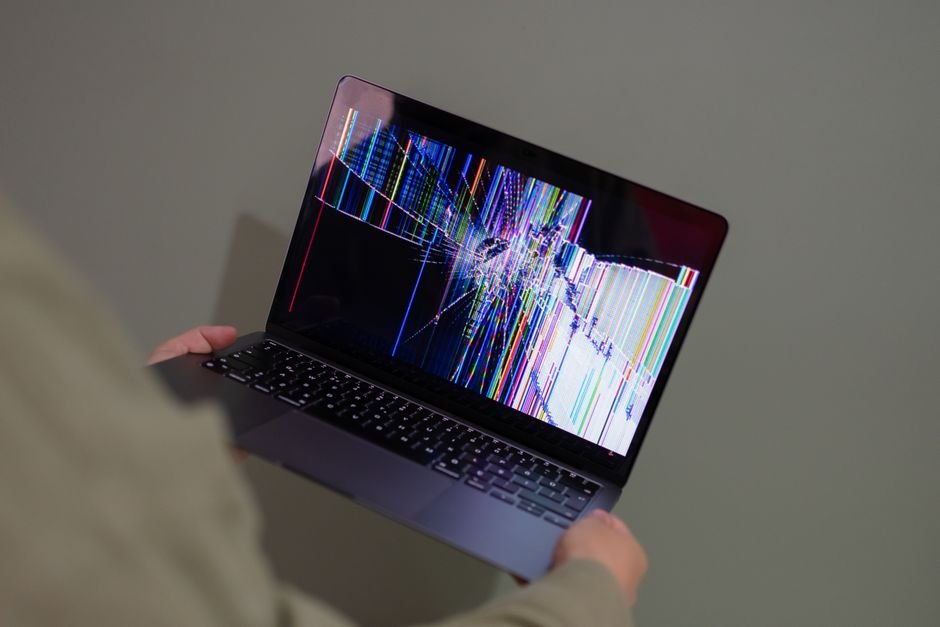
2. The Screen Saver: Screen Protectors: Fingerprints, smudges, and the dreaded accidental scratch can mar your visual experience and potentially damage the display. A tempered glass screen protector offers superior scratch resistance and can even absorb some impact, protecting your delicate screen from cracks. Anti-glare or matte finishes can also reduce eye strain and improve usability in bright environments. Application can be tricky, so follow instructions carefully or opt for professional installation.
3. The Dust Buster: Keyboard Covers: Laptops are notorious dust magnets. Crumbs, pet hair, and general debris can accumulate between keys, leading to sticky keys, misfires, or even internal damage. A silicone keyboard cover creates a barrier, preventing these contaminants from reaching the delicate mechanisms beneath. They also offer a degree of spill resistance, a lifesaver for clumsy moments. Ensure the cover is specifically designed for your laptop model for a perfect fit.
4. The Environmental Guardian: Laptop Stand: While not directly protective, a laptop stand promotes better airflow, preventing overheating. Overheating can significantly degrade internal components over time, reducing performance and lifespan. Raising your laptop also improves ergonomics, reducing neck and shoulder strain by bringing the screen to eye level. Many stands are adjustable, allowing you to find your optimal viewing angle. Options range from simple foldable metal stands to more elaborate ones with integrated USB hubs and cooling fans.
Enhancing Performance and Productivity: Beyond Basic Protection
Once your laptop is adequately protected, consider accessories that amplify its capabilities and streamline your workflow.
5. The Ergonomic Revolution: External Mouse and Keyboard: While laptop keyboards and trackpads are convenient, they often lack the ergonomic comfort and precision of dedicated peripherals. An external mouse offers superior control and comfort for extended use, while a full-sized keyboard can prevent wrist strain and improve typing speed and accuracy. Wireless options offer a clutter-free experience, while wired versions provide a reliable, lag-free connection. Consider mechanical keyboards for a satisfying tactile feel and faster response times. Logitech, Microsoft, and Razer are reputable brands for these peripherals.
6. The Visual Upgrade: External Monitor: For tasks requiring significant screen real estate, such as graphic design, video editing, or multitasking, an external monitor is a game-changer. It allows you to spread out your work, view multiple applications simultaneously, and often offers superior color accuracy and resolution compared to built-in laptop displays. Choose a monitor that matches your laptop’s resolution and refresh rate for a seamless visual experience. Dell, HP, and LG offer a wide range of excellent monitors.
7. The Connectivity Hub: USB Hubs and Docking Stations: Modern laptops often feature a limited number of ports. A USB hub or docking station expands your connectivity options, allowing you to connect multiple peripherals like external drives, printers, webcams, and SD cards simultaneously. Docking stations often offer additional features like Ethernet ports, audio jacks, and even the ability to power your laptop. This is especially crucial for professionals who need to connect to various devices regularly. Anker and Belkin are popular choices for reliable hubs and docks.
8. The Storage Solution: External Hard Drives and SSDs: Internal storage can fill up quickly. An external hard drive or solid-state drive (SSD) provides ample space for backing up your important files, storing large media libraries, or transferring data between devices. SSDs offer significantly faster read/write speeds than traditional HDDs, making them ideal for frequently accessed files or for booting operating systems. Western Digital, Seagate, and Samsung are leading manufacturers in this space.
9. The Power Player: Portable Power Banks: Running out of battery at a critical moment is a universal frustration. A high-capacity portable power bank ensures you stay connected and productive, even when away from a power outlet. Look for power banks with sufficient wattage to charge your laptop (not just your phone) and multiple ports for charging several devices simultaneously. Anker and RAVPower offer excellent options.
Maintaining Peak Performance: Keeping Your Laptop Running Smoothly
Beyond physical protection and enhanced functionality, regular maintenance is key to preserving your laptop’s performance and lifespan.
10. The Airflow Enhancer: Laptop Cooling Pad: As mentioned earlier, overheating is a silent killer of laptop components. A cooling pad, often with integrated fans, actively dissipates heat from the underside of your laptop, preventing thermal throttling and prolonging its life. This is particularly beneficial for gaming laptops or those used for demanding tasks. Many cooling pads also offer adjustable height for improved ergonomics.
11. The Digital Declutterer: Cleaning Kits: Dust and grime can accumulate not only on the exterior but also within the vents and fans, hindering airflow and leading to performance issues. A specialized laptop cleaning kit typically includes compressed air cans to blow out dust, microfiber cloths for screen and surface cleaning, and cleaning solutions safe for electronics. Regular cleaning keeps your laptop looking and performing its best.
12. The Security Sentinel: Webcam Covers and Privacy Screens: In an increasingly digital world, privacy is paramount. A simple webcam cover physically blocks the lens, preventing unauthorized access to your camera. For added visual privacy, especially in public spaces, a privacy screen filters the display, making it visible only to those directly in front of the screen, preventing shoulder surfing.
Investing in the Future: Smart Upgrades and Connectivity
Consider these accessories for future-proofing and enhancing your overall digital experience.
13. The Wireless Upgrade: High-Speed Wi-Fi Adapters: If your laptop’s Wi-Fi capabilities are outdated, a high-speed external Wi-Fi adapter can significantly improve your internet connection speed and reliability. This is especially important for streaming, online gaming, or downloading large files. Look for adapters supporting the latest Wi-Fi standards like Wi-Fi 6 or Wi-Fi 6E.
14. The Audio Advantage: Quality Headphones or Speakers: While built-in laptop speakers are often mediocre, a good pair of headphones or external speakers can transform your audio experience, whether for music, movies, or video conferencing. Noise-canceling headphones are invaluable for focus in noisy environments. Brands like Sony, Bose, and Sennheiser offer exceptional audio solutions.
By strategically investing in these essential laptop accessories, you’re not just buying gadgets; you’re safeguarding your digital investment, enhancing your productivity, and ensuring your laptop remains a powerful and reliable tool for years to come. Treat your laptop with the care it deserves, and it will continue to serve you faithfully.