
Streamline Your Office: The Best WiFi Laser Printers for Peak Productivity
In today’s fast-paced business environment, efficiency is paramount. A clunky, unreliable printer can be a significant bottleneck, hindering workflow and frustrating employees. Fortunately, the modern office has a powerful ally: the WiFi laser printer. These devices offer unparalleled convenience, speed, and cost-effectiveness, making them indispensable tools for businesses of all sizes. Moving beyond the limitations of tangled cables and slow print speeds, WiFi laser printers unlock a new level of operational fluidity. This article delves into the features that define the best WiFi laser printers, explores their benefits, and highlights top contenders to help you make an informed decision for your office.
The Unrivaled Advantages of WiFi Laser Printers
The integration of WiFi into laser printers has revolutionized office printing. Forget the days of dedicating prime desk space to a printer tethered by a USB cable. WiFi connectivity offers a multitude of advantages:
- Enhanced Mobility and Flexibility: Employees can print from any device connected to the network, whether it’s a desktop, laptop, tablet, or smartphone. This liberates workers from their desks, allowing for printing from meeting rooms, collaborative spaces, or even on the go within the office.
- Reduced Cable Clutter: A wireless setup dramatically reduces the unsightly and often problematic tangle of cables. This not only creates a cleaner, more organized workspace but also minimizes tripping hazards and simplifies network management.
- Effortless Sharing and Collaboration: Multiple users can easily share a single printer, eliminating the need for individual printers for each workstation. This is particularly beneficial for small to medium-sized businesses where resources are often shared.
- Simplified Setup and Installation: Connecting a WiFi printer is generally a straightforward process, often guided by on-screen prompts or mobile apps. This reduces IT support overhead and gets your team printing faster.
- Cost-Effectiveness: Laser printers, in general, are known for their lower cost per page compared to inkjet printers, especially for high-volume black and white printing. Combined with the efficiency gains from WiFi, they represent a smart long-term investment.
- Speed and Reliability: Laser technology is inherently faster for text-based documents than inkjet. WiFi ensures consistent and reliable print job transmission, minimizing delays and errors.
- Mobile Printing Capabilities: Most modern WiFi laser printers support mobile printing solutions like Apple AirPrint, Mopria, and proprietary apps. This allows for seamless printing directly from smartphones and tablets, a crucial feature for mobile workforces.
- Cloud Integration: Many advanced models offer integration with cloud storage services like Google Drive, Dropbox, and OneDrive, enabling direct printing from and scanning to the cloud without the need for intermediate devices.
Key Features to Consider When Choosing a WiFi Laser Printer
Selecting the right WiFi laser printer involves evaluating several critical features that align with your specific office needs.
- Print Speed (PPM): This is measured in pages per minute and is a crucial indicator of how quickly the printer can churn out documents. For busy offices, higher PPM is essential to avoid bottlenecks. Consider your typical print volume when making this decision.
- Print Resolution (DPI): Dots per inch determine the sharpness and detail of your prints. For standard text documents, 600 DPI is usually sufficient. For graphics and images, higher resolutions (1200 DPI or more) are preferable.
- Duplex Printing (Automatic): Automatic duplex printing allows the printer to print on both sides of a page without manual intervention. This saves paper, reduces costs, and streamlines the printing process for multi-page documents.
- All-in-One Functionality (MFP): Many WiFi laser printers are Multifunction Printers (MFPs), offering not just printing but also scanning, copying, and faxing capabilities. This consolidates multiple devices into one, saving space and cost.
- Paper Capacity and Handling: Consider the input paper tray capacity and the types of paper the printer can handle (e.g., plain paper, cardstock, envelopes). For high-volume printing, a larger capacity is vital.
- Connectivity Options: While WiFi is the primary focus, some printers offer Ethernet ports for wired connections, USB ports for direct printing, and even NFC (Near Field Communication) for simple tap-to-print functionality.
- Toner Cartridge Cost and Yield: The ongoing cost of toner is a significant factor. Look for printers that use cost-effective toner cartridges with a high page yield to minimize your operating expenses. Consider third-party compatible options as well, but ensure their quality.
- Security Features: For businesses handling sensitive information, robust security features are paramount. Look for options like secure print, encrypted network traffic, and user authentication to protect your data.
- Mobile Printing Support: As mentioned earlier, ensure the printer supports your preferred mobile printing platforms (AirPrint, Mopria, etc.) or offers a user-friendly proprietary app.
- Network Protocols: For enterprise environments, understanding supported network protocols like TCP/IP, LPD, and SNMP is important for seamless integration with existing network infrastructure.
- Durability and Build Quality: For a business printer, longevity is key. Opt for models known for their robust construction and reliable performance under continuous use.
- Ease of Use and Interface: A printer with an intuitive control panel and clear instructions will minimize user frustration and reduce the learning curve for new employees.
Top WiFi Laser Printers for Your Office
While the “best” printer is subjective and depends on individual needs, several models consistently receive high marks for their performance, features, and value. Here are some leading contenders in different categories:
1. For Small Offices and Home Offices (SOHO):
- Brother HL-L2350DW/HL-L2390DW (Mono Laser): These compact and affordable monochrome laser printers are perfect for SOHO environments that primarily print text documents. They offer fast print speeds, automatic duplex printing, and reliable WiFi connectivity. The HL-L2390DW adds a flatbed scanner for basic copying and scanning needs. Their toner cartridges are reasonably priced with good yields.
- Canon imageCLASS MF260 Series (Mono MFP): For those needing scanning and copying in addition to printing, the Canon imageCLASS MF260 series offers a compact and feature-rich monochrome MFP solution. They boast fast print speeds, intuitive touchscreens, and excellent print quality for text. WiFi connectivity and mobile printing support are standard.
2. For Medium-Sized Offices with Moderate to High Volume Printing:
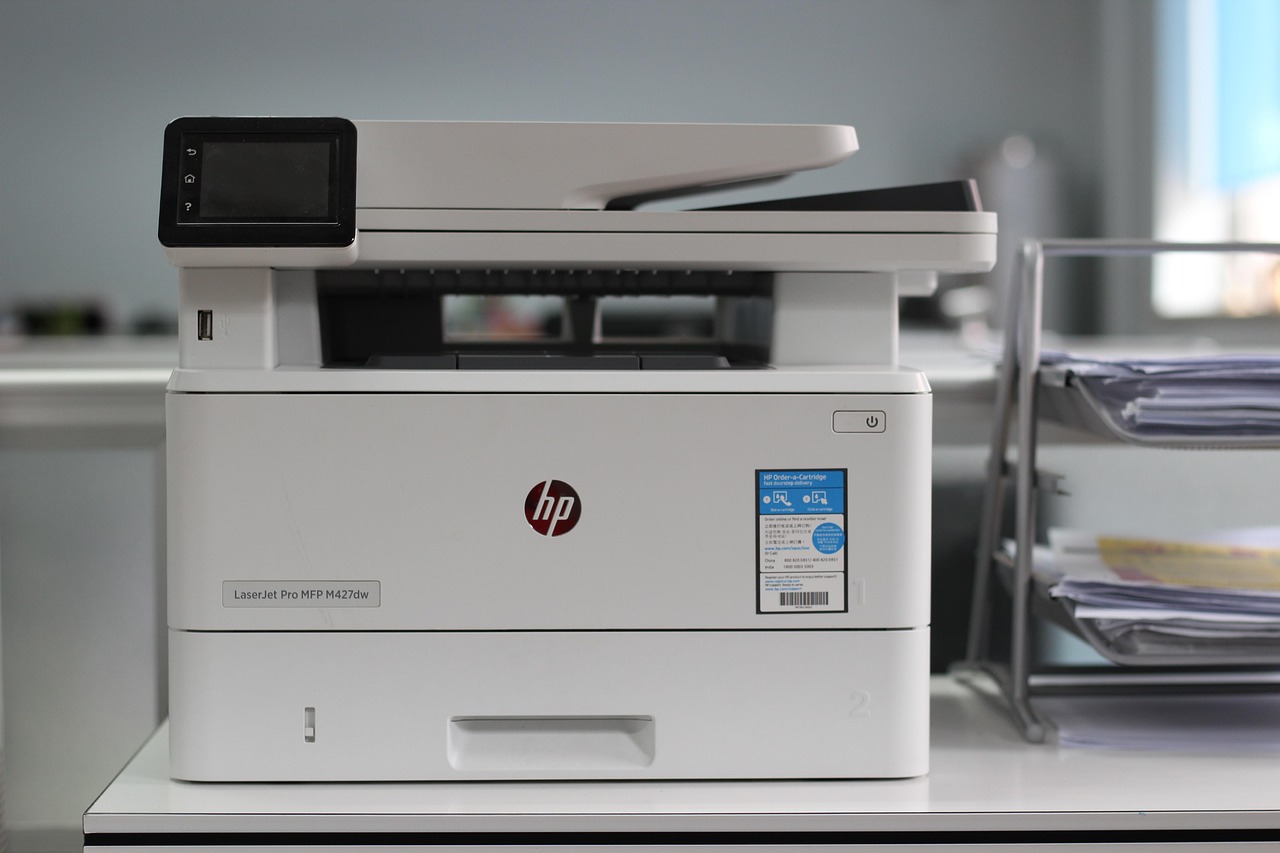
- HP LaserJet Pro MFP M428fdw/M428fndw (Mono MFP): This series is a workhorse for growing businesses. It delivers exceptional print speeds, robust security features, and excellent print quality. The automatic duplexing and large paper capacity are ideal for handling higher print volumes. Its comprehensive suite of connectivity options, including WiFi, Ethernet, and USB, ensures seamless integration. The HP Smart app simplifies mobile printing and management.
- Brother MFC-L5900DW/MFC-L5905DW (Mono MFP): Brother’s professional-grade MFPs are known for their durability and high volume capabilities. The MFC-L5900DW offers impressive print speeds, a large touchscreen, and advanced paper handling options. Its high-yield toner cartridges and robust build make it a cost-effective choice for busy offices. It also includes strong security features.
3. For Offices Requiring Color Printing and Advanced Features:
- HP Color LaserJet Pro MFP M479fdw (Color MFP): If your office needs to print color documents, presentations, or marketing materials, this HP MFP is a top-tier choice. It offers excellent color print quality, fast speeds for both color and mono printing, and comprehensive MFP functionalities. Its advanced security features, large touchscreen, and robust connectivity options make it suitable for demanding environments.
- Canon Color imageCLASS MF740 Series (Color MFP): Canon’s Color imageCLASS MF740 series provides vibrant color prints and a user-friendly experience. These MFPs offer good print speeds, automatic duplexing, and a range of connectivity options. They are a solid choice for offices that balance color printing needs with general office tasks.
Optimizing Your WiFi Laser Printer Experience
Beyond selecting the right hardware, several practices can further enhance your office’s printing efficiency:
- Regular Firmware Updates: Keep your printer’s firmware up-to-date to ensure optimal performance, security, and compatibility with new devices and software.
- Strategic Printer Placement: Position your WiFi printer in a central location that is easily accessible to all users, minimizing travel time and encouraging collaboration.
- Utilize Mobile Printing Apps: Encourage your team to use the manufacturer’s mobile printing app or standard platforms like AirPrint and Mopria for seamless printing from their personal devices.
- Implement Print Management Software: For larger organizations, print management software can help track print usage, control costs, and enforce printing policies.
- Proper Toner Management: Monitor toner levels and order replacements proactively to avoid unexpected downtime. Consider bulk purchasing for cost savings.
- Educate Your Staff: Ensure employees understand how to use the printer’s features, including scanning, copying, and mobile printing, to maximize its utility.
- Regular Maintenance: Follow the manufacturer’s recommendations for cleaning and maintenance to ensure the longevity and optimal performance of your printer.
By carefully considering your office’s unique requirements and investing in a high-quality WiFi laser printer, you can significantly boost productivity, reduce operational costs, and create