Description: Master your workflow with 2026’s top i9 laptops. Compare the fastest Intel Core i9 and Ultra 9 models for gaming, 3D rendering, and pro-level speed.
In the high-stakes world of elite computing, the Intel Core i9 (and its modern successor, the Core Ultra 9) represents the absolute ceiling of mobile processing power. As we move through 2026, the demand for these “super-laptops” has skyrocketed, driven by the rise of local AI processing, 8K video production, and hyper-realistic gaming.
For professionals in Tier 1 markets, time is the ultimate currency. An i9 laptop isn’t just a luxury; it is a specialized tool designed to eliminate “rendering lag” and “system stutter” from your vocabulary. This year, the focus has shifted from raw clock speeds to AI-enhanced efficiency and thermal mastery.
The Power Hierarchy: Why the i9 Still Reigns Supreme
To understand why you need an i9, you must look at the architecture. The current flagship, the Intel Core Ultra 9 285HX, utilizes a sophisticated hybrid architecture.
- P-Cores (Performance): These “heavy lifters” handle intense, single-threaded tasks like gaming and 3D modeling.
- E-Cores (Efficiency): These manage background processes, ensuring your system doesn’t lag while you’re multitasking.
- Integrated NPU (Neural Processing Unit): A 2026 staple, the NPU offloads AI tasks (like background blur in video calls or AI-driven photo editing) to save battery and boost speed.
Top i9 Laptops for 2026: The Elite Shortlist
| Model | Best For | Key Specs (Max Config) | Hero Feature |
| Razer Blade 18 (2026) | The Ultimate Gamer | Core Ultra 9 / RTX 5090 | 4K 200Hz+ OLED Display |
| ASUS ROG Strix Scar 16 | Competitive Esports | Core Ultra 9 / 64GB RAM | Nebula HDR Mini-LED |
| MSI Titan 18 HX | Desktop Replacement | i9-14900HX / 128GB RAM | Mechanical Cherry MX Keys |
| Dell XPS 16 (Premium) | Creative Professionals | Core Ultra 9 / 4TB SSD | Minimalist Tandem OLED |
| Lenovo Legion Pro 7i | Balanced Performance | Core Ultra 9 / RTX 5080 | Coldfront 5.0 Cooling |
1. The Performance King: Razer Blade 18 (2026 Edition)
If price is no object and performance is your only metric, the Razer Blade 18 is the definitive choice. It has successfully bridged the gap between a portable laptop and a full-scale desktop workstation.
Why It Leads the Pack:
- Thermal Management: Razer utilizes a massive vapor chamber cooling system that covers the entire motherboard, preventing the thermal throttling that plagues thinner laptops.
- Visual Fidelity: The 18-inch display is a marvel. In 2026, Razer introduced the Dual-Mode OLED, allowing users to switch between 4K for editing and FHD+ (at a blistering 480Hz) for competitive gaming.
- Connectivity: It is one of the few devices to fully support Thunderbolt 5, offering up to 120Gbps of bandwidth for external GPUs or multi-monitor setups.
Real-World Impact: In 4K video export tests using Adobe Premiere Pro, the Blade 18 outperformed its i7 counterparts by over 42%, saving editors hours of downtime per week.
2. The Creative Powerhouse: Dell XPS 16 (9640)
The Dell XPS 16 is the “MacBook Pro of the Windows world.” It targets architects, engineers, and digital artists who require i9 power without the flashy RGB lights of a gaming rig.
Precision Engineering:
- Design: The CNC-machined aluminum chassis is incredibly rigid. The seamless glass haptic touchpad is invisible to the eye but remarkably responsive to the touch.
- Screen Accuracy: The OLED touch display covers 100% of the DCI-P3 color gamut, making it the gold standard for color grading and professional photography.
- AI Integration: The built-in NPU accelerates “generative fill” in Photoshop, making complex edits happen almost instantaneously.
3. The Cooling Champion: Lenovo Legion Pro 7i Gen 10
Many i9 laptops suffer from “heat soak”—where the processor slows down because the fans can’t keep up. The Lenovo Legion Pro 7i solves this with its proprietary Coldfront: Vapor technology.
- Liquid Metal Thermal Paste: Instead of traditional grease, Lenovo uses liquid metal to move heat away from the i9 chip with incredible efficiency.
- Customizable Power: Through the Lenovo Vantage software, users can “overclock” the i9 processor, pushing it past its factory limits for short bursts of extreme work.
- Durability: Built like a tank, it passes several military-grade (MIL-STD 810H) durability tests, making it a favorite for on-site engineers.
Technical Deep Dive: i9 vs. i7 — Is the Upgrade Worth It?
For many users, an i7 is “enough.” However, for those operating in the top 5% of demanding workloads, the i9 provides a measurable edge.
Comparative Data (2026 Averages):
- Multi-Core Workflows: The i9 (24-core) typically scores 20-25% higher in Cinebench R23 than the i7 (16-core).
- 3D Rendering: In Blender “Classroom” benchmarks, the i9 finishes the task 3 minutes faster on average than an i7-equipped machine.
- Large-Scale Simulations: For financial modeling or scientific research, the higher L3 cache (36MB vs 24MB) allows the i9 to handle larger datasets without accessing the slower system RAM.
Critical Factors to Consider Before Buying
Don’t be blinded by the “i9” badge. A poorly optimized i9 laptop can perform worse than a well-tuned i7. Check these three pillars before swiping your card:
1. Total Graphics Power (TGP)
An i9 processor paired with an RTX 5080 is only as good as the power it’s allowed to draw. Look for a laptop that offers a 175W TGP. Some “thin and light” i9 laptops limit the power to 60W or 80W to prevent melting, which effectively neuters the performance you paid for.
2. RAM and Storage Bottlenecks
An i9 processor can process data faster than a slow SSD can provide it.
- RAM: Ensure you have at least 32GB of DDR5-5600MHz memory.
- Storage: Look for PCIe Gen 5 NVMe SSDs. They offer read speeds of up to 12,000MB/s, ensuring that large files (like 4K RAW video) load in seconds.
3. Battery Life Reality Check
Let’s be honest: i9 laptops are not “all-day” machines. When running at full tilt, most of these units will last between 1 and 2 hours. In “Eco Mode” for web browsing, you might squeeze out 5–7 hours. If you are a digital nomad who works away from a plug, consider an Ultra 9 model, which is significantly better at power management than the older HX series.
Maintenance: Keeping Your i9 at Peak Performance
To ensure your $3,000+ investment lasts, follow these professional maintenance tips:
- Elevate for Airflow: Never use an i9 laptop on a bed or carpet. The intake vents on the bottom need clear space. Using a simple laptop stand can drop temperatures by 5-10°C.
- Regular Dusting: Use compressed air every three months to clear the fans. Dust is the #1 killer of i9 performance.
- Bios Updates: Manufacturers like ASUS and Dell frequently release BIOS updates that optimize the voltage of the i9 chip, improving stability and life span.
Conclusion: The Final Verdict on 2026’s Powerhouses
Choosing from the top i9 laptops available right now is about matching your specific “pain point” to a machine’s strength.
- If you are a hardcore gamer, the Razer Blade 18 offers the most immersive experience on the market.
- If you are a professional creator, the Dell XPS 16 provides the most accurate color and sleekest aesthetic.
- If you need a reliable workstation for engineering, the Lenovo Legion Pro 7i offers the best thermal stability for the price.
An i9 laptop is a statement of intent—it says your work is too important to be delayed by technology. While the entry price is high, the productivity gains and future-proofing make it a logical choice for the most demanding users in 2026.
Are you ready to eliminate the wait?
Would you like me to compare the specific benchmarks of two models you’re considering, or should I help you find the best current deals in your region?

ASUS Chromebook CM1405 (2026), Smartchoice, MediaTek Kompanio 540 Processor, 4GB RAM, 64GB SSD, FHD, 14"(35.5 cm), 60Hz, Chrome OS, Pure Grey, 1.37 Kg, CM1405CM4A-S60034, Thin & Light Laptop
₹20,990.00 (as of September 18, 2026 20:23 GMT +05:30 - More infoProduct prices and availability are accurate as of the date/time indicated and are subject to change. Any price and availability information displayed on [relevant Amazon Site(s), as applicable] at the time of purchase will apply to the purchase of this product.)
Lenovo IdeaPad Slim 3 Ryzen 3 30 15.6" (39.6cm) FHD Thin and Light Laptop (8GB RAM/512GB SSD/AMD Radeon 610M Graphics/Windows 11/Office 2024/Grey/1.6Kg), 82XQ01VYIN
₹52,850.00 (as of September 18, 2026 20:23 GMT +05:30 - More infoProduct prices and availability are accurate as of the date/time indicated and are subject to change. Any price and availability information displayed on [relevant Amazon Site(s), as applicable] at the time of purchase will apply to the purchase of this product.)
HP Professional 14 (2026), Intel (i7 14th Gen) Core 7 150U - (32 GB/512 GB SSD/Intel Iris Xe Graphic/Windows 11 Pro) Business Laptop/14.0" FHD/Backlit + Fingerprint/Silver/Copilot Key/1.4kg/MSO 2024
₹94,090.00 (as of September 18, 2026 20:23 GMT +05:30 - More infoProduct prices and availability are accurate as of the date/time indicated and are subject to change. Any price and availability information displayed on [relevant Amazon Site(s), as applicable] at the time of purchase will apply to the purchase of this product.)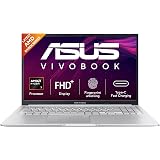
ASUS Vivobook 15 (2026),AMD Ryzen 7 170,Fingerprint Sensor,16GB RAM,512GB SSD,FHD, 15.6",(39.6 cm),Windows 11,M365 Basic(1 Year)* Office 2024, Cool Silver,1.70 kg, M1502NAQ-BQ121WS,Thin & Light Laptop
₹72,990.00 (as of September 18, 2026 20:23 GMT +05:30 - More infoProduct prices and availability are accurate as of the date/time indicated and are subject to change. Any price and availability information displayed on [relevant Amazon Site(s), as applicable] at the time of purchase will apply to the purchase of this product.)
Acer Aspire 3 (2026), Intel Core i5 13th Gen 1334U - (16 GB/512 GB SSD/Intel UHD Graphics/Windows 11 Home) Thin and Light Laptop/15.6" FHD IPS Display/Silver/1.5 Kg/MS Office 2024/3 Years Warranty
₹62,780.00 (as of September 18, 2026 20:23 GMT +05:30 - More infoProduct prices and availability are accurate as of the date/time indicated and are subject to change. Any price and availability information displayed on [relevant Amazon Site(s), as applicable] at the time of purchase will apply to the purchase of this product.)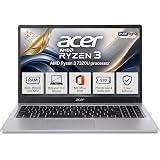
Acer 15 Smartchoice, AMD Ryzen 3-7320U | 8GB DDR5 RAM 5500 Mhz, 256GB SSD New Gen, Windows 11Home, Ms office 21, Antivrus, 1.59KG, Professional Thin and Light Laptop
₹42,990.00 (as of September 18, 2026 20:23 GMT +05:30 - More infoProduct prices and availability are accurate as of the date/time indicated and are subject to change. Any price and availability information displayed on [relevant Amazon Site(s), as applicable] at the time of purchase will apply to the purchase of this product.)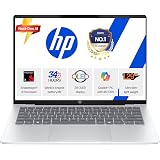
HP OmniBook 5 OLED (Previously Pavilion), Snapdragon X Processor 45 Tops (16GB LPDDR5x, 512GB SSD), 2K 14''/35.6cm, Win11, Office24, Silver, 1.29kg, he0014QU, Multi-Day Battery, AI Laptop
₹79,990.00 (as of September 18, 2026 20:23 GMT +05:30 - More infoProduct prices and availability are accurate as of the date/time indicated and are subject to change. Any price and availability information displayed on [relevant Amazon Site(s), as applicable] at the time of purchase will apply to the purchase of this product.)
Acer ALG, Intel Core5-210H Processor, NVIDIA GeForceRTX 3050-4GB DDR6, Office 2024 + M365 Basic,16GB RAM/512GB SSD, FHD 15.6", 144Hz, Win 11 Home, Titanium Gray, 1.99 KG, AL15G-53, Gaming Laptop
₹82,990.00 (as of September 18, 2026 20:23 GMT +05:30 - More infoProduct prices and availability are accurate as of the date/time indicated and are subject to change. Any price and availability information displayed on [relevant Amazon Site(s), as applicable] at the time of purchase will apply to the purchase of this product.)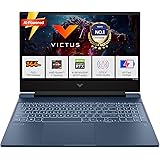
HP Smartchoice Victus, AMD Ryzen 7 7445HS, 6GB RTX 4050, 16GB DDR5(Upgradeable) 512GB SSD, 144Hz, IPS, 300 nits, 15.6''/39.6cm, Win11, Office24, Blue, 2.29kg, fb3130AX/3118AX, Gaming Laptop
₹1,07,990.00 (as of September 18, 2026 20:23 GMT +05:30 - More infoProduct prices and availability are accurate as of the date/time indicated and are subject to change. Any price and availability information displayed on [relevant Amazon Site(s), as applicable] at the time of purchase will apply to the purchase of this product.)
ASUS Vivobook 16, Snapdragon X, 16GB RAM, 512GB SSD, FHD+ 16", Windows 11, Office Home 2024, Quiet Blue, 1.88kg, X1607QA-MB049WS, Qualcomm Adreno iGPU, 45TOPS, M365 Basic (1Year)* Laptop
₹61,990.00 (as of September 18, 2026 20:23 GMT +05:30 - More infoProduct prices and availability are accurate as of the date/time indicated and are subject to change. Any price and availability information displayed on [relevant Amazon Site(s), as applicable] at the time of purchase will apply to the purchase of this product.)
Acer Aspire Lite, AMD Ryzen 3-5400U, 8 GB RAM, 512 GB SSD, Full HD 15.6"/39.62 cm, Windows 11 Home, Steel Gray, 1.59 KG, AL15-41, Premium Laptop
₹44,990.00 (as of September 18, 2026 20:23 GMT +05:30 - More infoProduct prices and availability are accurate as of the date/time indicated and are subject to change. Any price and availability information displayed on [relevant Amazon Site(s), as applicable] at the time of purchase will apply to the purchase of this product.)
Lenovo IdeaPad Slim 3 Ryzen 5 7520U 15.6" (39.6cm) FHD Thin and Light Laptop (16GB RAM/512GB SSD/Backlit Keyboard/Windows 11/ Office 2024/Grey/1.6Kg), 82XQ01RYIN
₹64,950.00 (as of September 18, 2026 20:23 GMT +05:30 - More infoProduct prices and availability are accurate as of the date/time indicated and are subject to change. Any price and availability information displayed on [relevant Amazon Site(s), as applicable] at the time of purchase will apply to the purchase of this product.)
HP 15 (2026), AMD Ryzen 7 Octa Core 7735U - (16 GB DDR5/512 GB SSD/AMD Radeon 680M Graphics/Windows 11 Pro) Thin & Light Business Laptop/15.6" FHD Display/Backlit + Fingerprint/Silver/1.5kg/MS Office
₹72,990.00 (as of September 18, 2026 20:23 GMT +05:30 - More infoProduct prices and availability are accurate as of the date/time indicated and are subject to change. Any price and availability information displayed on [relevant Amazon Site(s), as applicable] at the time of purchase will apply to the purchase of this product.)
JioBook 11 with Lifetime Office | Android 4G Laptop Mediatek 8788 (JioOS) | Octa-core | 4GB RAM | 64 eMMC Storage | Thin and Light Laptop (11.6 inch, 990 Grams) | Dual Band WiFi + SIM | Blue
₹10,990.00 (as of September 18, 2026 20:23 GMT +05:30 - More infoProduct prices and availability are accurate as of the date/time indicated and are subject to change. Any price and availability information displayed on [relevant Amazon Site(s), as applicable] at the time of purchase will apply to the purchase of this product.)
Acer Aspire Lite, AMD Ryzen 3-5400U, 8GB RAM/256GB SSD, Full HD IPS, 15.6"/39.62 cm, Windows 11 Home, Steel Gray, 1.59 KG, AL15-41, Metal Body, Premium Thin and Light Laptop
₹39,490.00 (as of September 18, 2026 20:23 GMT +05:30 - More infoProduct prices and availability are accurate as of the date/time indicated and are subject to change. Any price and availability information displayed on [relevant Amazon Site(s), as applicable] at the time of purchase will apply to the purchase of this product.)
Dell 15 SmartChoice (Previously Inspiron), Intel 13th Gen Core i5-1334U, 16GB, 1TB SSD, FHD,15.6"/39.62cm, Win 11, MSO'24, Silver, 1.62kg, [Dell 15], 12 Month McAfee, Backlit KB, Thin & Light Laptop
₹73,990.00 (as of September 18, 2026 20:23 GMT +05:30 - More infoProduct prices and availability are accurate as of the date/time indicated and are subject to change. Any price and availability information displayed on [relevant Amazon Site(s), as applicable] at the time of purchase will apply to the purchase of this product.)
Dell 15 (Previously Inspiron) Laptop, 14th Gen Intel Core i3/Core 3 100U Processor, 16GB DDR4, 512 SSD, Intel UHD Graphics, 15.6" FHD 120Hz IPS AG 250 nit Display, Win 11 + Office 2024, Black, 1.63Kg
₹60,490.00 (as of September 18, 2026 20:23 GMT +05:30 - More infoProduct prices and availability are accurate as of the date/time indicated and are subject to change. Any price and availability information displayed on [relevant Amazon Site(s), as applicable] at the time of purchase will apply to the purchase of this product.)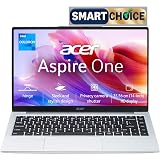
Acer Smartchoice Aspire One, Intel Core Celeron N4500, 8GB LPDDR4 RAM/ 256GB SSD, 14.0"/35.56cm WXGA Display, Intel UHD Graphics, Win 11 Home, Pure Silver, 1.3 Kg, A114-45, Thin and Light Laptop
₹35,990.00 (as of September 18, 2026 20:23 GMT +05:30 - More infoProduct prices and availability are accurate as of the date/time indicated and are subject to change. Any price and availability information displayed on [relevant Amazon Site(s), as applicable] at the time of purchase will apply to the purchase of this product.)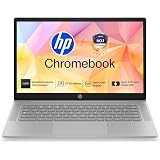
HP Chromebook 14, MediaTek Kompanio 540 (4GB LPDDR5, 128GB UFS) HD, Anti-Glare, Micro-Edge, 14''/35.6cm, ChromeOS, 100 GB Google One(1yr), Modern Gray,1.35kg, nm0004MU, HD Camera w/Shutter Laptop
₹25,990.00 (as of September 18, 2026 20:23 GMT +05:30 - More infoProduct prices and availability are accurate as of the date/time indicated and are subject to change. Any price and availability information displayed on [relevant Amazon Site(s), as applicable] at the time of purchase will apply to the purchase of this product.)